Free accounting software for your firm and clients.
Download. Install. Start in minutes. Run multiple client companies in one app on your office computer. It works offline with no dedicated server, the data stays on your own computers, and you can try everything on sample books first.
Download and install Celerp, then choose the sample company during setup.
Free for local use
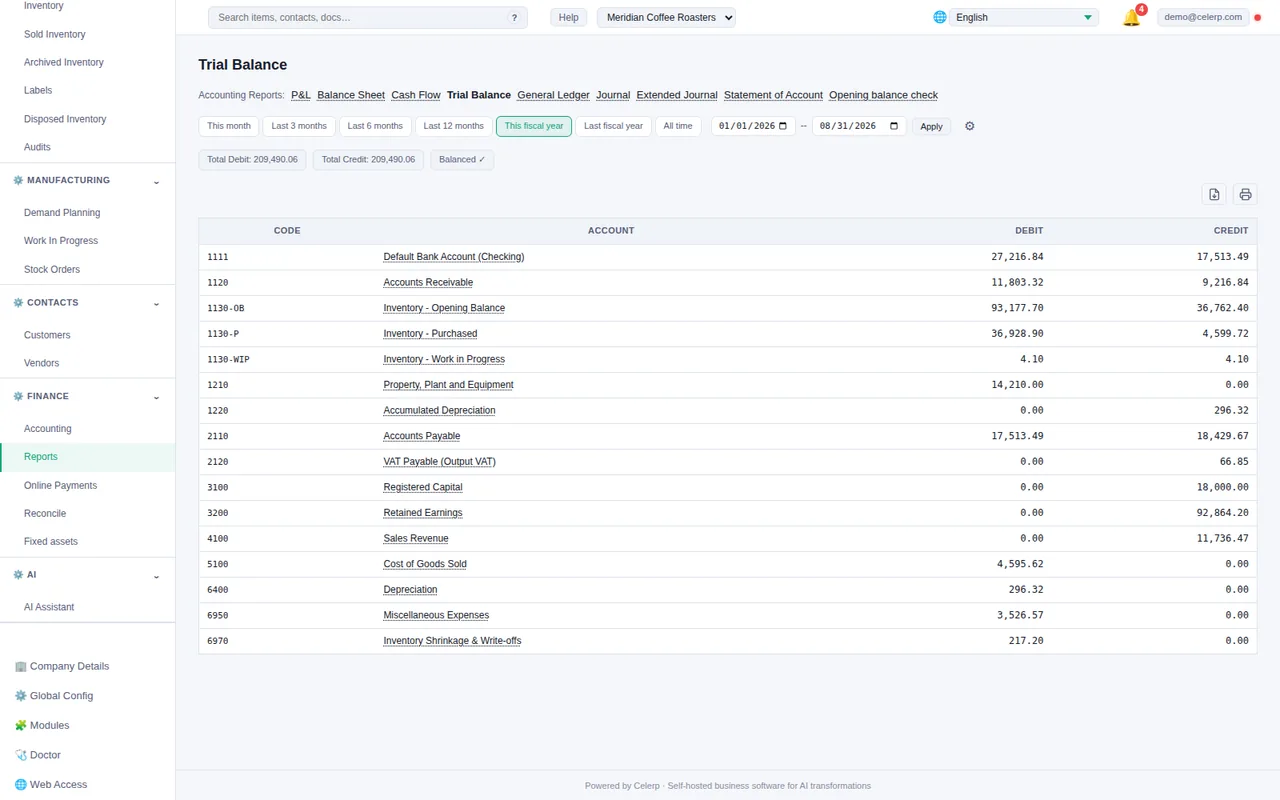
No licence fee and no time limit.
No dedicated server
Install it on a computer in your office. It works offline.
Data on your computer
Each company is stored where Celerp is installed. When you send a client their company copy by link, an encrypted copy is held on Celerp's servers until the link expires after 14 days or you revoke it.
Bring your clients' books
Move clients in from Manager.io, Odoo, Xero, QuickBooks Online and Sage 50 / Peachtree, then check the balances.
Your clients work independently. You stay informed.
One list of the companies you manage, each one's sync status, and what needs your attention.
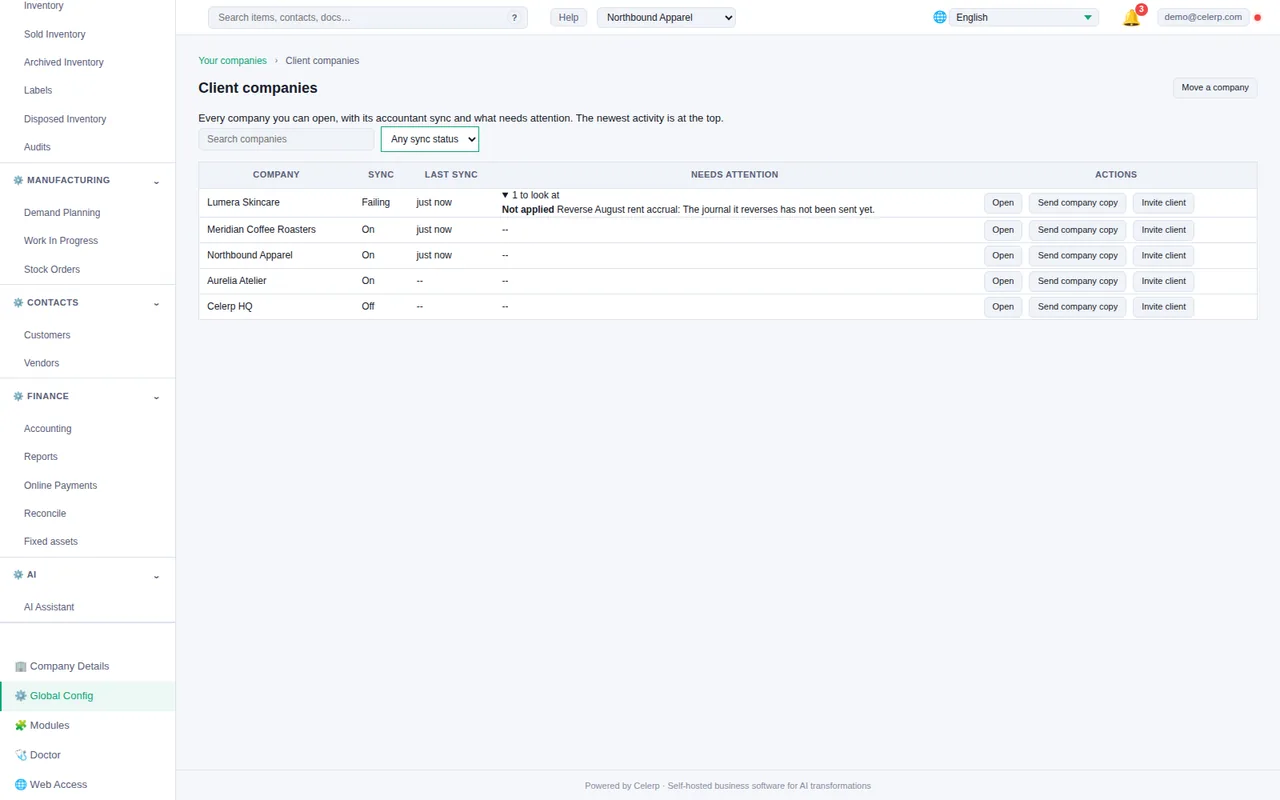
Each with its own books and its own user access.
See when each client's Celerp last connected to your office.
Follow up on changes that were not applied, sync keys about to expire and company copies not yet opened.
The client's company lives in your installation and you work in its books yourself. No subscription is needed.
Your client runs Celerp themselves and Accountant Sync sends their changes to your office. Syncing between two installations needs Connect on both.
Sync status and attention details are shown to each company's owner, not to every member of staff.
Bring clients in. Check the numbers.
Celerp compares the key balances in the client's file with the same balances in Celerp and shows the difference on each line. Nothing becomes the client's company until you accept it.
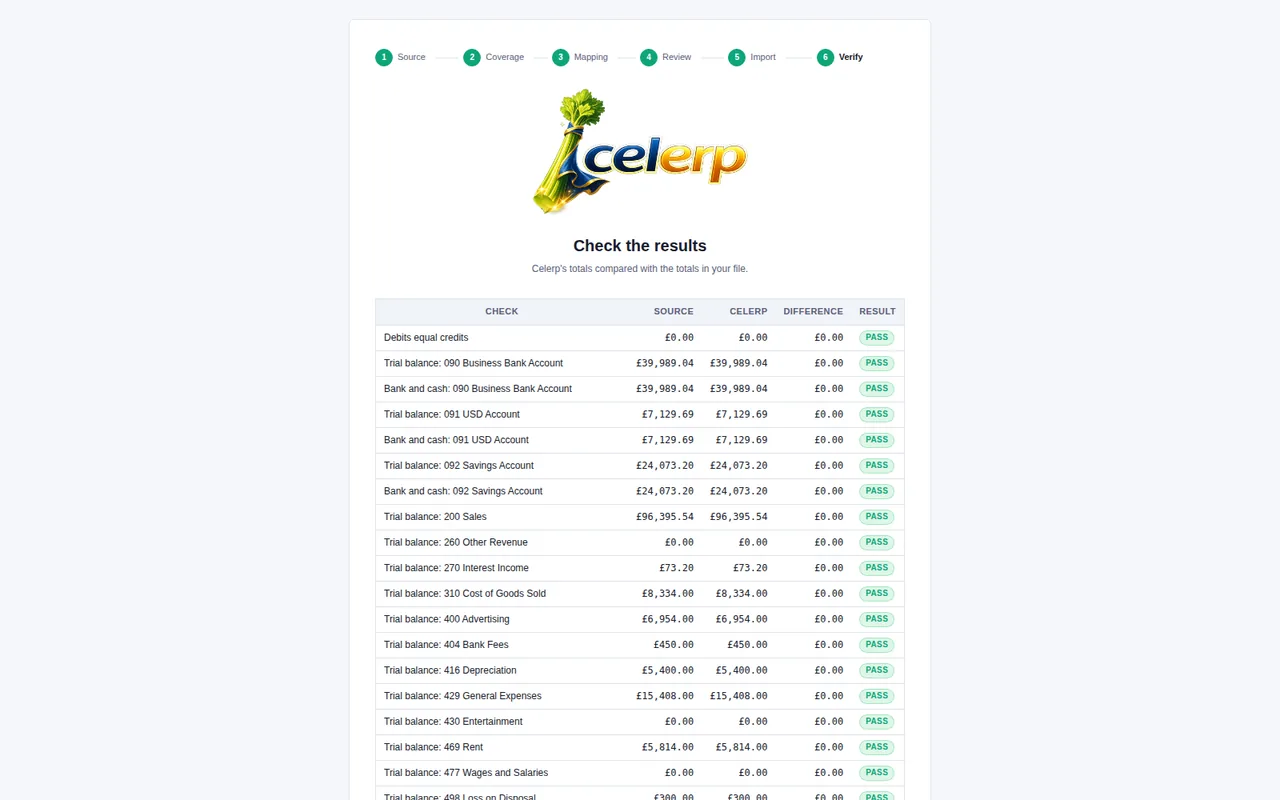
Before anything moves, you see what is in the client's file, area by area.
Anything Celerp cannot move is listed for you, never dropped quietly.
From the client's business file (.manager). Moving from Manager.io
From a backup of the client's Odoo 13 to 17 database, the zip with its filestore, one company at a time. Moving from Odoo
From the export files Xero writes, added together or as one zip. Moving from Xero
From the lists and reports QuickBooks Online exports, added together or as one zip. Moving from QuickBooks Online
From the lists, journals and reports the client's Sage 50 (US edition, 2010 or later) exports, added together or as one zip. Moving from Sage 50 / Peachtree
Different system? Tell us which one.
We add systems in order of demand. Tick the box to join early access.
Thanks.
We add sources in order of demand. If you asked for early access, we'll contact you if an early-access opportunity is available.
Looking for free accounting software to recommend to a client? Free accounting software with inventory built in
Every posting, back to its source.
Search the journal by account, amount or text, then follow each entry back to its original transaction and forward to the reports. Shown with a sample coffee roaster's books. Select any screen to enlarge it.
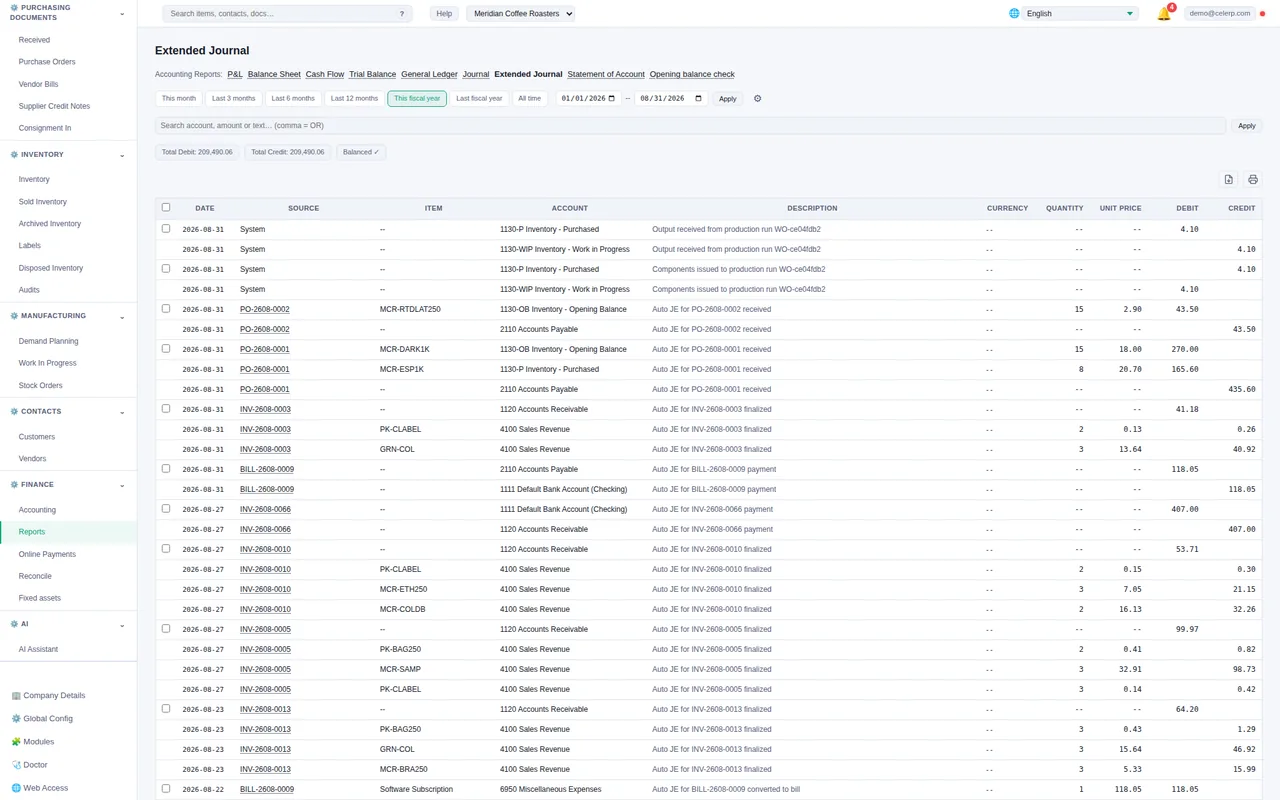
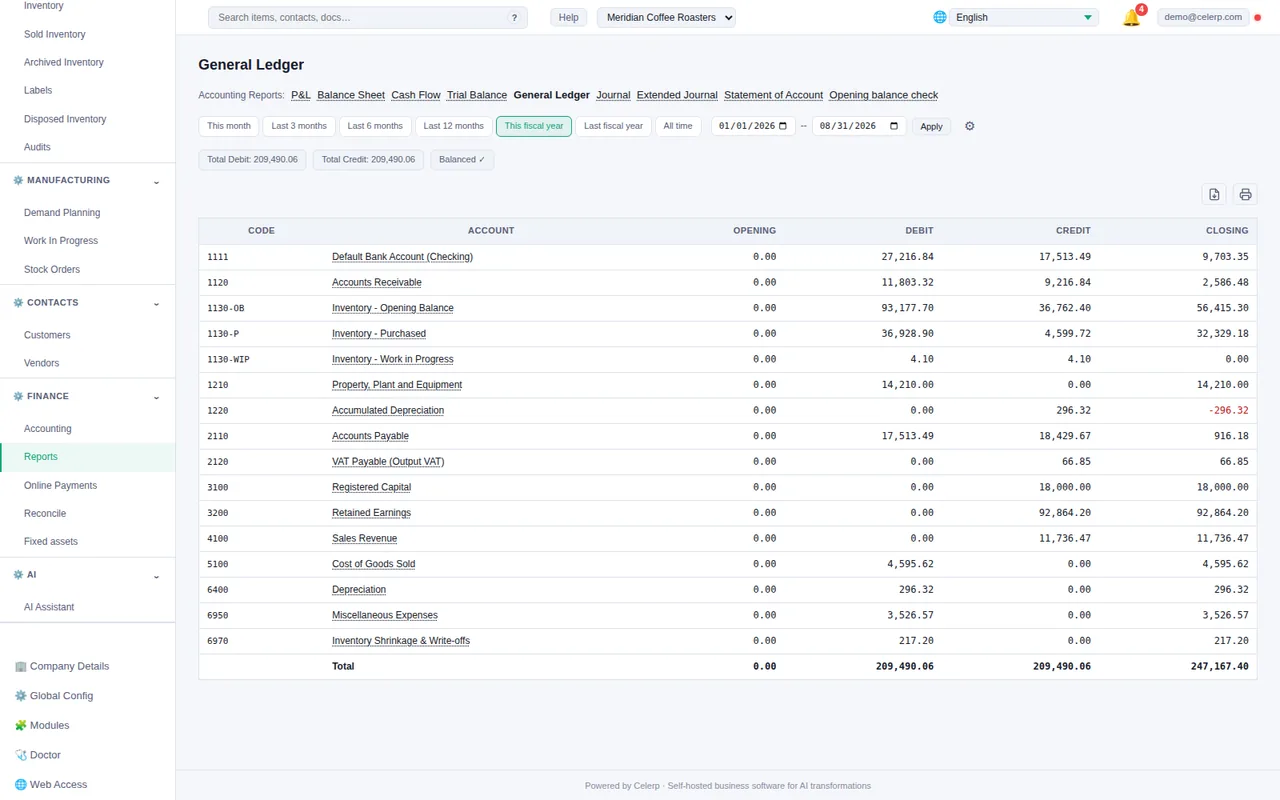
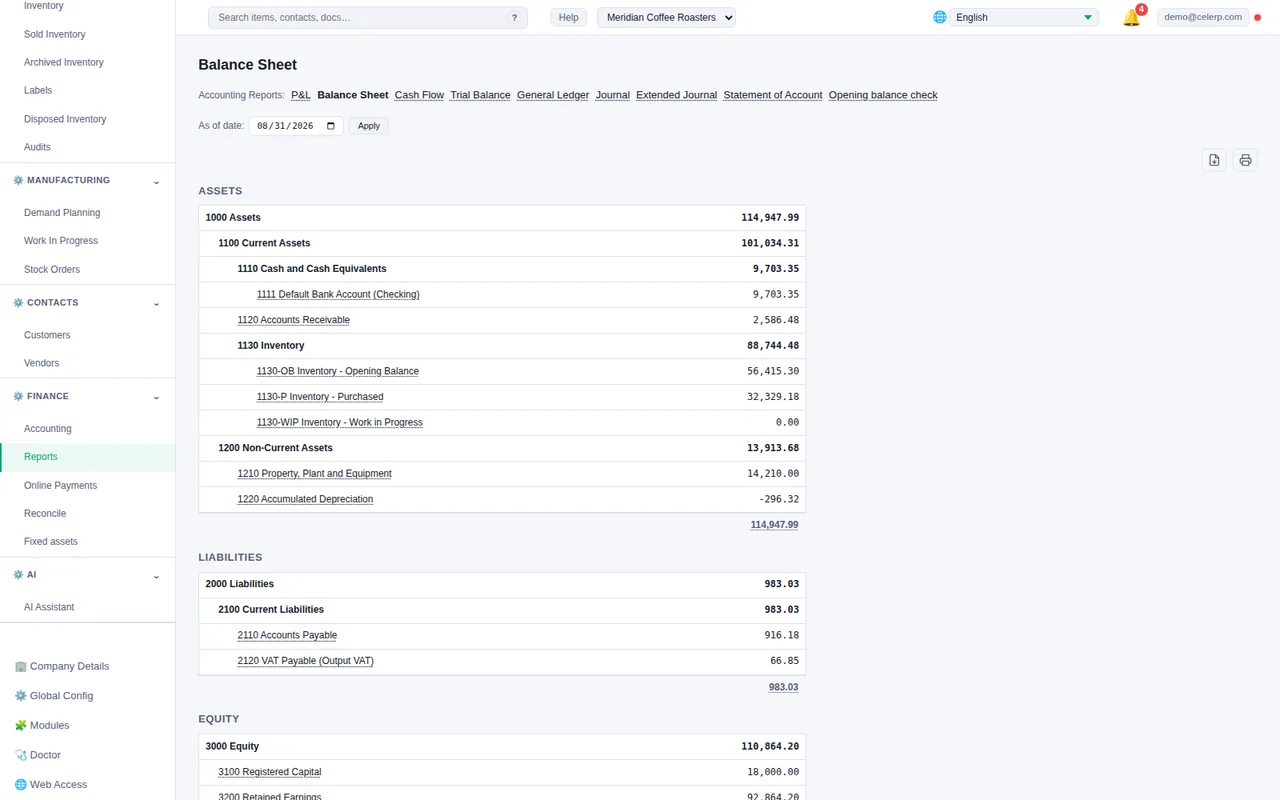
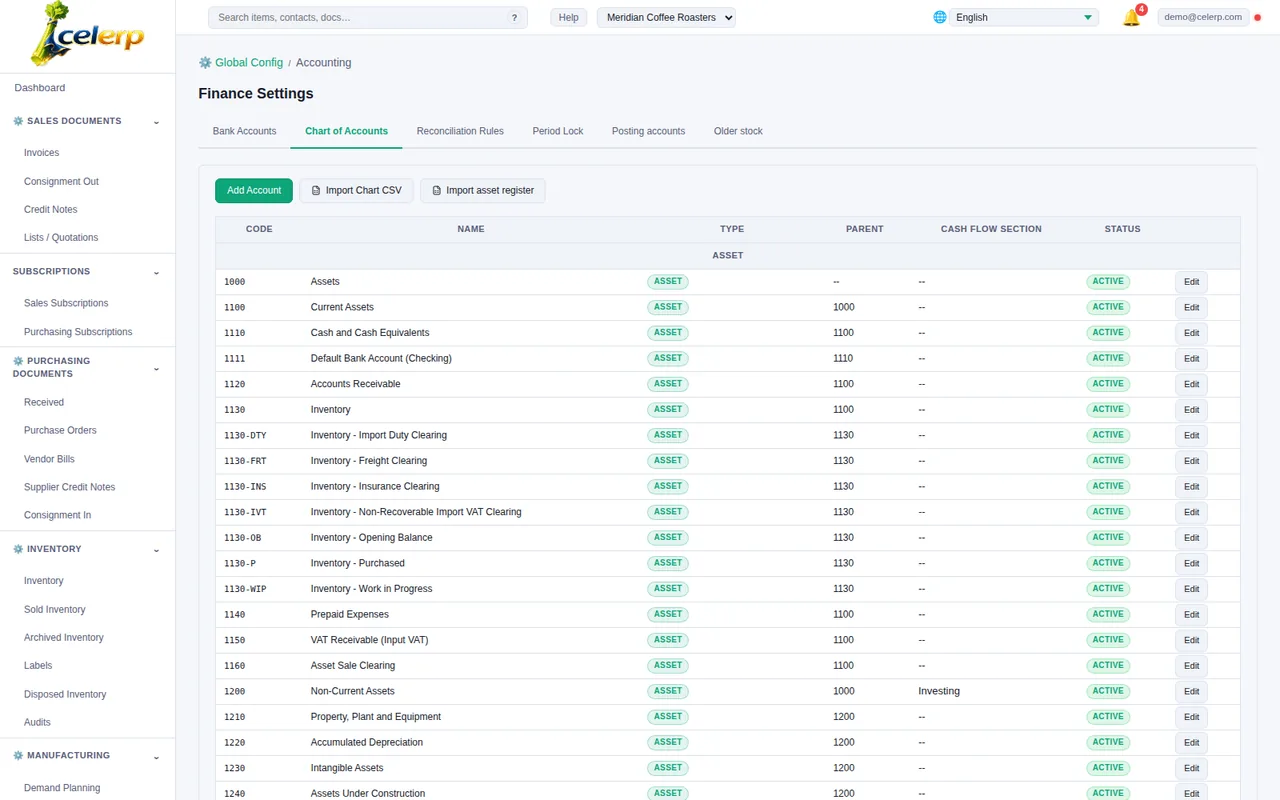
Also: profit and loss, cash flow, journal and statement of account.
Accounting depth beyond invoicing.
Fixed assets, depreciation and bank reconciliation, next to inventory and manufacturing postings.
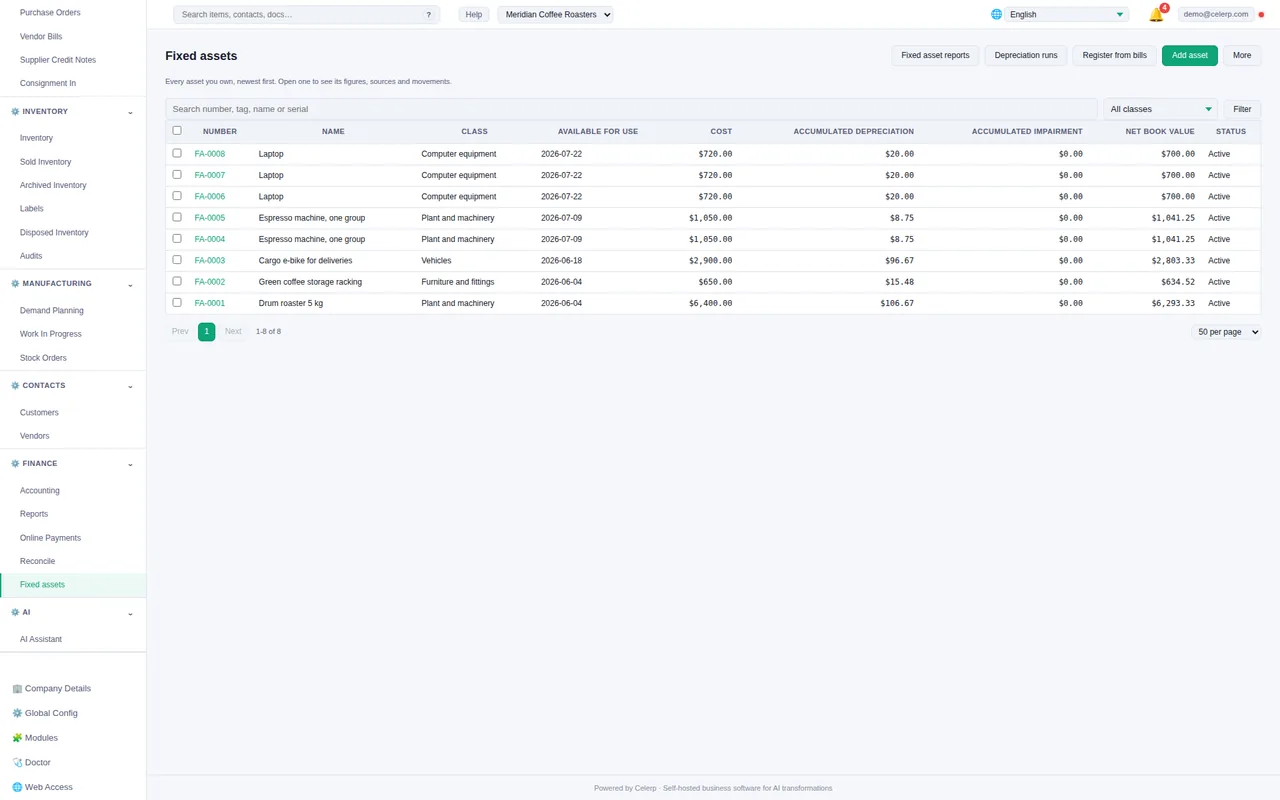
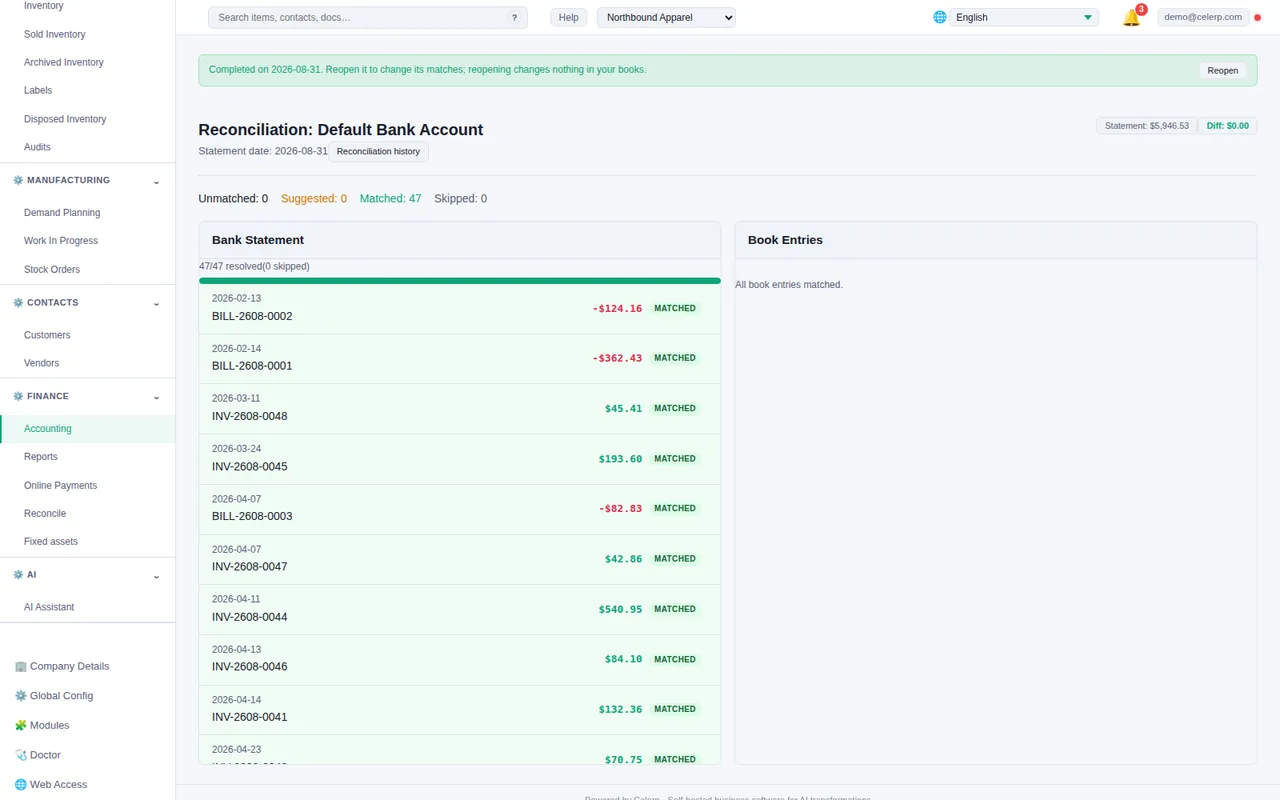
Purchasing, stock movements and production create the accounting entries behind them. Figures shown are sample data.
Less data entry. More time for clients.
Celerp AI reads receipts and supplier bills and prepares a proposal for you to review.
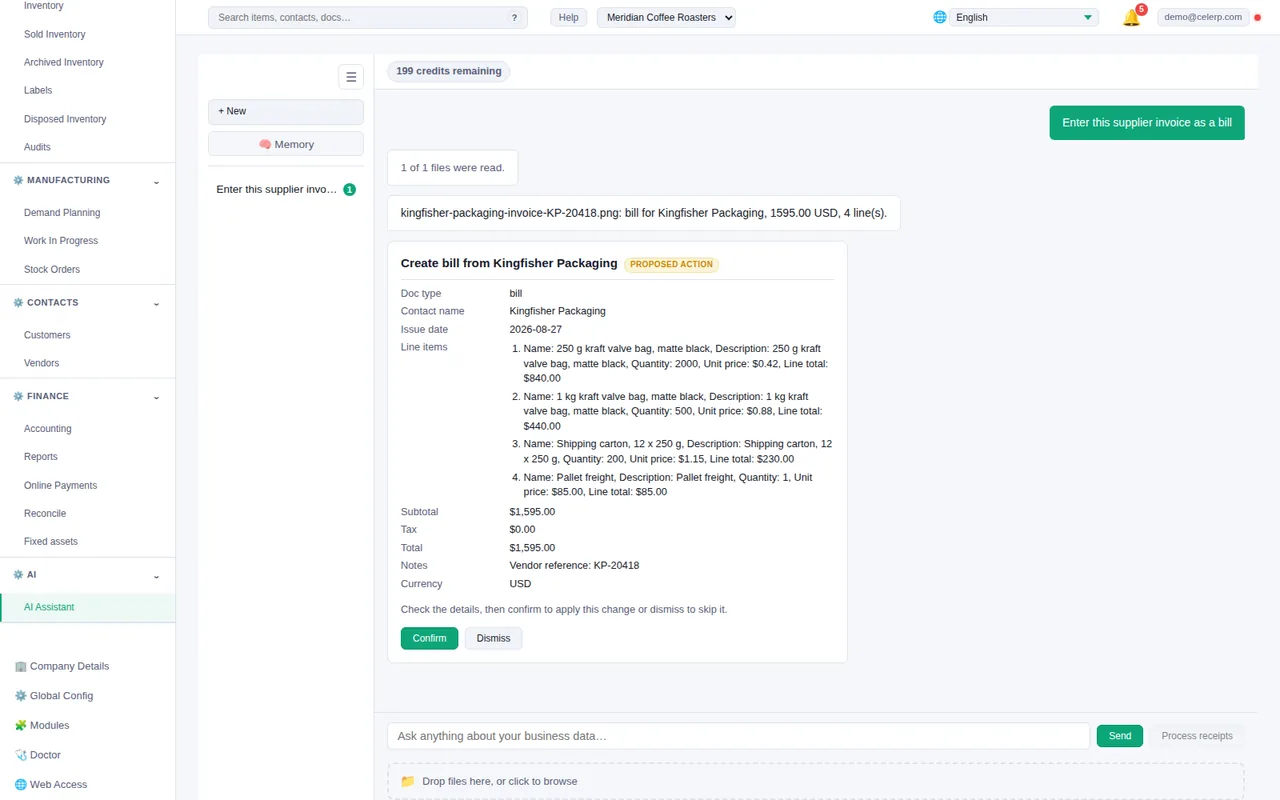
Approval stays with your firm
- ✓ Upload a receipt or a supplier invoice
- ✓ Celerp prepares a proposed bill
- ✓ Confirm or dismiss it. Nothing is written until you confirm.
AI is optional. It needs Connect and uses AI credits, and each document you submit is processed by the AI service.
One office. Controlled access. Predictable costs.
One installation serves the whole firm, with staff roles, optional simultaneous access and no per-seat charge.
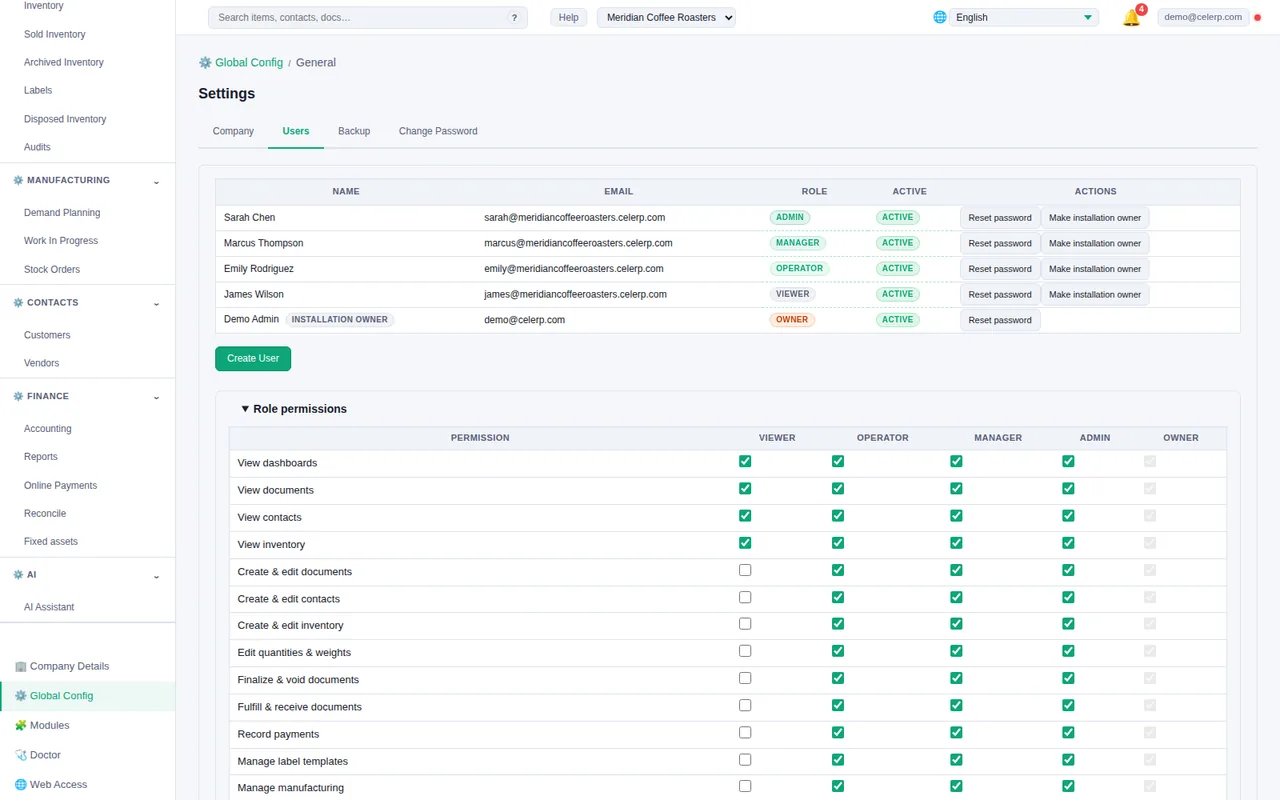
Documents and controls
- ✓ Invoices, quotations, purchase orders, vendor bills and credit notes
- ✓ Activity history on every document, item and contact
- ✓ Every change is recorded against the user who made it
- ✓ Five roles, from viewer to owner, with permissions the owner can edit
- ✓ Each client is its own company, with its own books
Unlimited companies. One signed-in user at a time.
$290/yr. Per installation, with no per-seat charge. Your whole office can be signed in at once.
A client who syncs from their own installation needs their own Connect.
Different clients. One connected platform.
Add what each business needs. Its transactions stay connected to the books.
Purchasing, stock movements and sales
Materials, production and costs
Depreciation and disposals
Start with accounting. Add workflows as each client grows.
Questions
What is Celerp?
Free accounting and business software that runs on your own computer. Alongside double-entry books and financial reports, it covers invoicing, purchasing, inventory, manufacturing and contacts. See everything Celerp does.
What leaves my computer?
Celerp works offline, and each company is stored where Celerp is installed. Company data is sent out when someone uses a connected feature: Accountant Sync, AI document processing, a company copy sent by link (encrypted first), backups through Connect, or another optional connected service you turn on.
Does my client need Celerp?
No. You can keep working in the client's company yourself. If your client wants their own, download their company backup and they can restore it in Celerp for free.
Does my client need to pay?
No. The core is free, also for a client who runs their own installation. A client installation that syncs with yours through Accountant Sync needs its own Connect.
What does Celerp keep when I send a company copy?
Celerp encrypts the copy on your computer before it is uploaded and stores only the encrypted file. The key that opens it is part of the link, which Celerp passes to your client by email in transit and does not keep. The encrypted file is deleted when the link expires after 14 days or when you revoke it.
What happens to my clients' data if Celerp stops?
Each company is stored on the computer where Celerp is installed, and you can download a company backup at any time. The source code is public on GitHub under the Business Source License 1.1, and changes to the Apache License 2.0 on 1 January 2029.
How long does a client take?
It depends on the size of the client's books. The sample company runs the same steps on small sample books, so you can judge the time before you move a real client.
Start with the sample company.
Look through a complete set of books before you move a real client.
Explore
Open the sample books and reports.
Check fit
Walk through the workflow of one of your real clients.
Choose deployment
Keep the company in your office, or send the client their own company copy.
Download and install Celerp, then choose the sample company during setup.