QuickBooks for accounting. Celerp for everything else.
Keep QuickBooks for your books, or replace it entirely. Celerp adds multi-location inventory, manufacturing, barcode scanning, and purchase orders - with or without QuickBooks.
Free, with open-source modules. Connect sync from $29/mo.
What QuickBooks can't do
QuickBooks is accounting software. It was not built to manage inventory or operations.
No multi-location inventory
QuickBooks tracks stock as a single number per item. If you have multiple locations, you are guessing. Celerp tracks per-location with real-time visibility.
No manufacturing or BOM
QuickBooks has no bill of materials, no assembly tracking, no production orders. Celerp handles full manufacturing workflows.
Limited barcode support
QuickBooks has no native barcode scanning. Celerp includes it free - scan to receive stock, pick orders, and do cycle counts.
Desktop being sunset
QuickBooks Desktop is being discontinued. Users are forced to QuickBooks Online, which has even fewer inventory features. Celerp is a free alternative.
Connect Celerp to QuickBooks in 3 steps
Download and install Celerp
pip install celerp or download the desktop app for Mac, Windows, or Linux. Takes under 2 minutes.
Connect to QuickBooks
In Celerp, go to Settings - Connectors - QuickBooks. Click Connect QuickBooks and authorize on Intuit's website. Customers, items, and invoices sync.
Your inventory stays in sync
Every stock movement in Celerp updates QuickBooks. Bills and invoices sync automatically. Your books stay balanced.
What syncs between QuickBooks and Celerp
Two-way sync keeps your back office and accounting always in agreement.
QuickBooks contacts sync to Celerp CRM. Track order history, lifetime value, and communication.
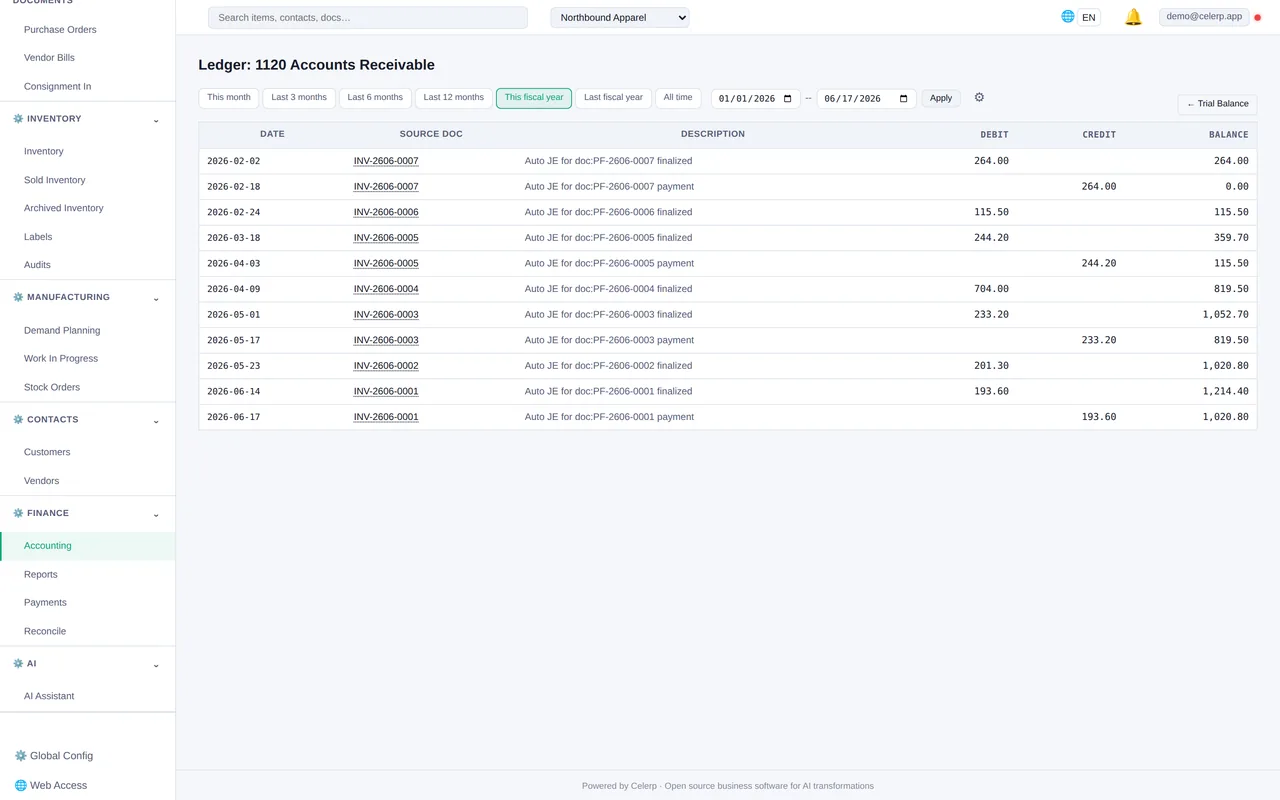
Celerp invoices push to QuickBooks automatically. Purchase bills sync on receive. COGS is recorded per transaction.
Products sync between systems. Celerp manages stock levels; QuickBooks sees the financial impact.
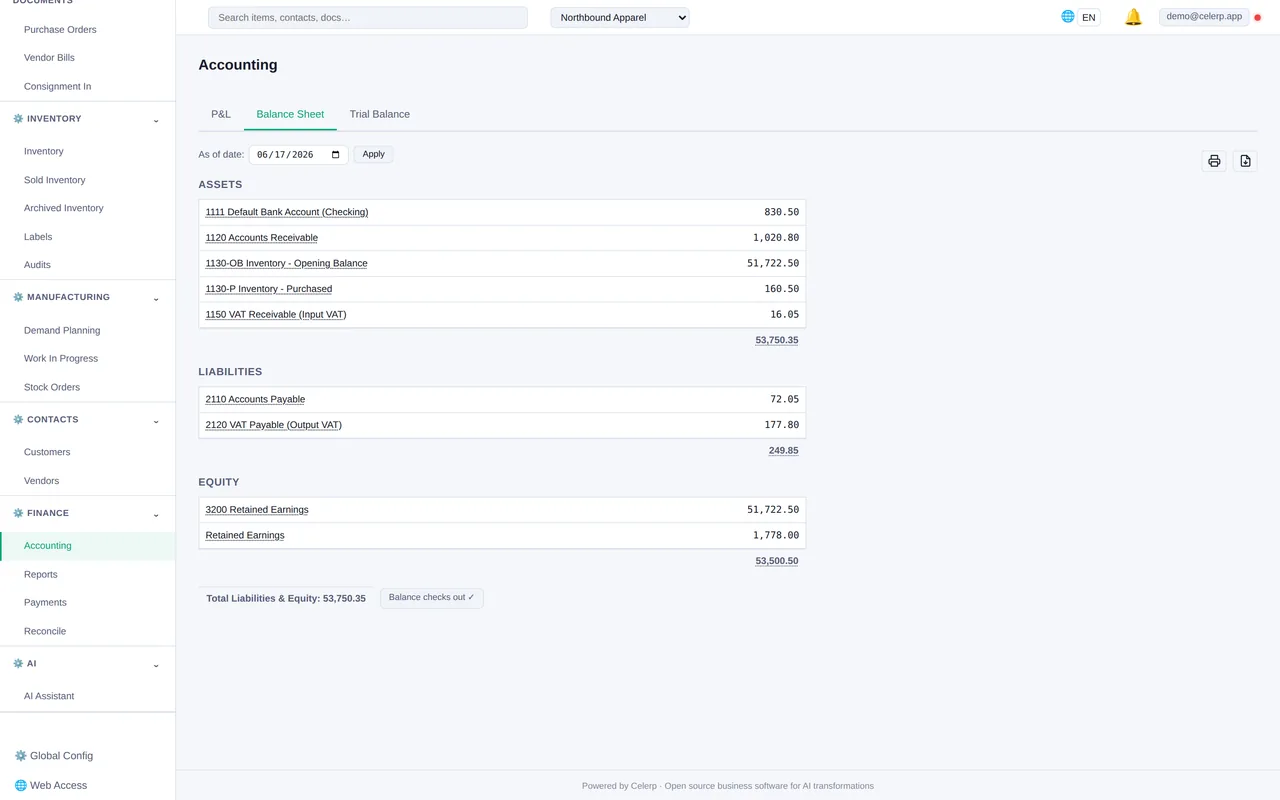
One-time import of your QuickBooks chart of accounts into Celerp. Full accounting stays in sync.
What you get beyond QuickBooks inventory
Celerp is a full ERP, not just an add-on. Everything QuickBooks leaves out is included.
- ✓ Multi-location inventory management
- ✓ Manufacturing and bill of materials (BOM)
- ✓ Lot tracking and batch numbers
- ✓ Barcode scanning
- ✓ FIFO / FEFO costing
- ✓ Purchase orders and supplier management
- ✓ Full double-entry accounting
- ✓ CRM and customer records
- ✓ Invoicing and PDF documents
- ✓ AI operator for back-office queries
Celerp vs QuickBooks + inventory add-ons
| Feature | Celerp | QuickBooks Online | Cin7 | inFlow |
|---|---|---|---|---|
| Monthly cost | ✓ $29/mo relay | $30-200/mo | $349/mo | $89/mo |
| Multi-location inventory | ✓ | ✗ | ✓ | ✓ |
| Manufacturing / BOM | ✓ | ✗ | ✓ | ✗ |
| Built-in accounting | ✓ | ✓ | ✗ | ✗ |
| Barcode scanning | ✓ | ✗ | ✓ | ✓ |
| Self-hosted / data ownership | ✓ | ✗ | ✗ | ✗ |
| Open-source modules | ✓ | ✗ | ✗ | ✗ |
One plan. Everything included.
The Celerp desktop app is free forever. The Connect plan ($29/mo) adds QuickBooks sync, encrypted backups, and your public relay URL.
QuickBooks sync connector - Encrypted backup - Remote access - 14-day free trial
Start free 14-day trial14-day free trial. No credit card required. Cancel anytime.
The Celerp desktop app is always free. The Connect plan is required for QuickBooks sync.
Frequently asked questions
Is Celerp really free?
Yes. The Celerp desktop app is free, with a source-available core and open-source MIT modules. The Connect plan ($29/mo) adds QuickBooks syncing, encrypted backups, and secure access from anywhere for you and your team.
Can I use Celerp alongside QuickBooks?
Yes. Many users keep QuickBooks for accounting and add Celerp for inventory management. The two sync automatically.
Where does my data live?
On your machine. Celerp is self-hosted. Your inventory, orders, and accounting data never touch our servers unless you enable encrypted backup (encrypted with your key).
What happens if I cancel Connect?
Your Celerp keeps running exactly as before. You lose QuickBooks syncing, encrypted backup, and remote access. Your data stays yours - export it or keep using Celerp offline.
Can I replace QuickBooks entirely with Celerp?
Yes. Celerp has full double-entry accounting built in. Many users migrate completely from QuickBooks to Celerp.
Get the free QuickBooks inventory setup guide
Step-by-step: connect your QuickBooks account to Celerp, configure multi-location inventory, and set up automatic sync in under 10 minutes.
Your business deserves better than QuickBooks inventory.
The Celerp app is free, with a source-available core and open-source MIT modules. The QuickBooks sync connector runs through the Celerp relay at $29/mo - free compared to QuickBooks Online ($30-200/mo) plus inventory add-ons.
14-day free trial - Open-source modules - Cancel anytime