Free accounting software for small business, with inventory built in
Double-entry books, invoices, bills and the reports your accountant asks for. Celerp runs on your own computer and you do not need an account to use it.
What you get free
The whole desktop app is free, with no limit on time. That includes:
- ✓ A double-entry ledger with your own chart of accounts
- ✓ Invoices, quotes, purchase orders, supplier bills and credit notes, with PDF export
- ✓ Customers and suppliers, with what each one owes or is owed
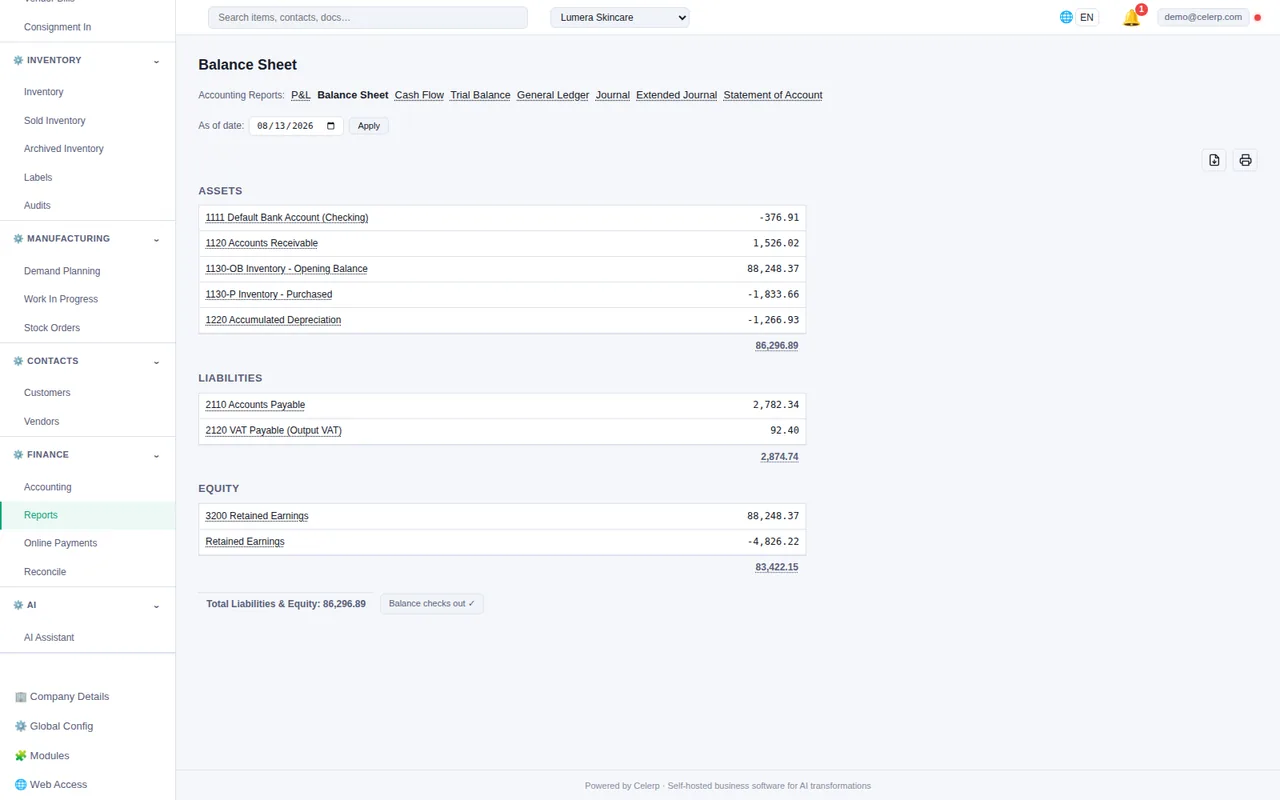
- ✓ Profit and loss, balance sheet, cash flow, trial balance, general ledger and aged receivables and payables
- ✓ Inventory, with stock levels, locations and what your stock is worth
- ✓ Imports from CSV or Excel files
- ✓ More than one company in the same app
- ✓ Share links for documents (with a free Celerp account)
Books and stock in one place
Most small businesses keep their stock in one tool and their books in another, and type the same numbers twice. In Celerp, bills, stock receipts and sales post to the books on their own. You never type a journal entry for them.
Issue an invoice and the sale and what the goods cost you go to the books. Enter a supplier's bill and it goes to accounts payable. Record a payment and the balance clears. When you need an entry of your own, write a manual journal entry. See every report
Moving from a spreadsheet
If your books live in Excel today, Celerp imports from CSV or Excel files:
- ✓ Your items, with the stock you have
- ✓ Your customers and suppliers
- ✓ Open invoices and bills, marked as already in your opening balances or recorded now
- ✓ Your chart of accounts
On the import screen you match your own columns to Celerp's. Other opening balances, such as your bank balance, go in as one journal entry. How imports work
Moving from other accounting software
Celerp moves a company from Manager.io, Odoo, Xero, QuickBooks Online or Sage 50 / Peachtree, with the full history or from a cut-over date. Using something else? Tell us which system. We add new ones in order of demand.
Do the books for clients? Celerp for accountants and bookkeepers
Questions about free accounting
Is it really free?
Yes. The whole app is source available and free to use, with no time limit and no per-user fee. The paid Connect plan adds things that run on our servers, such as remote access, encrypted backup and online invoice payments.
Does it work without the internet?
Yes. Your books and your database are on your computer, so you can work offline. Sending documents by email through Celerp and share links need a connection.
What do I need to run it?
Windows 10 or later (64-bit), macOS 12 Monterey or later (Intel and Apple Silicon), or Ubuntu 20.04+ / Debian 11+ (64-bit). Celerp brings its own database, so there is nothing else to install.
Can my accountant get my books?
Yes. Export the journal as a CSV file from the Journal tab, and print any report or export it to CSV.
What needs a Celerp account?
Only sending documents by email through Celerp and share links. A free Celerp account that has never had a paid plan sends 10 documents a month. Everything else works without an account.
Start your books today
Download Celerp, create your company, and import your first spreadsheet.